E-commerce

E-commerce Automation Stack 2026: From Orders to Customer Retention

Build a complete e-commerce automation stack for 2026. Learn how to automate order processing, inventory sync, abandoned cart recovery, review collection, and customer retention for Shopify, WooCommerce, and more.

BoringWork Team
11 min read
E-commerce Automation Stack 2026: From Orders to Customer Retention
E-commerceShopifyAutomationOrder ProcessingCustomer RetentionInventory Management

Running an e-commerce business means juggling a hundred moving parts: orders, inventory, shipping, customer service, marketing, and more. As you grow, manual processes that worked at 10 orders/day become impossible at 100.

Automation is how successful e-commerce businesses scale.

This guide covers the complete e-commerce automation stack for 2026—from the moment a customer lands on your site to turning them into a repeat buyer.

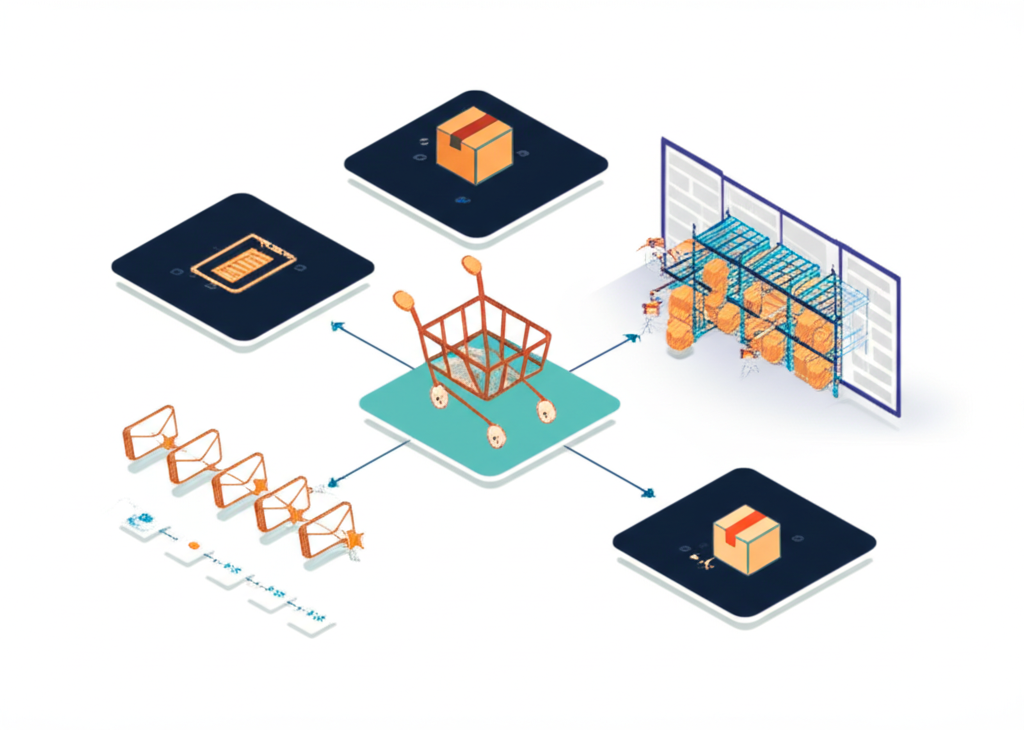
The E-commerce Automation Landscape

Where Automation Delivers ROI

AreaManual EffortAutomation Impact
Order processing5-10 min/orderNear-zero touch
Inventory sync2-4 hrs/dayReal-time
Abandoned cartOften ignored10-15% recovery
Review requestsSporadic5-10x more reviews
Customer supportReactiveProactive
MarketingOne-size-fits-allPersonalized at scale

The Complete Stack

Customer Journey:
[Browse] → [Cart] → [Checkout] → [Payment] → [Fulfillment] → [Delivery] → [Post-Purchase] → [Retention]

Automation at each stage:
  ↓         ↓          ↓           ↓            ↓             ↓              ↓              ↓
Browse    Abandoned   Order      Payment     Warehouse    Shipping     Review/NPS    Marketing
Tracking   Cart       Processing  Capture    Integration   Updates      Requests      Automation

Order Processing Automation

The Manual Process

  1. Order notification received
  2. Staff logs into store admin
  3. Manually checks inventory
  4. Copies order to fulfillment system
  5. Updates shipping info back to store
  6. Sends tracking to customer
  7. Updates accounting

Time: 10-15 minutes per order Errors: Address typos, inventory mismatches, delayed updates

The Automated Process

  1. Order placed → triggers workflow
  2. Inventory automatically reserved
  3. Order pushed to fulfillment system
  4. Shipping label generated automatically
  5. Customer receives tracking instantly
  6. Inventory updated across all channels
  7. Accounting entry created

Time: Zero manual touch (exceptions only) Errors: Near-zero

Implementation

For Shopify stores:

// n8n workflow: New order → Process → Fulfill
trigger: Shopify Order Created

validate: Check inventory availability

route:
  - Standard items → Main warehouse
  - Dropship items → Vendor API
  - Custom items → Production queue

create: Shipping label (ShipStation/Shippo)

update: Order with tracking number

notify: Customer via email/SMS

sync: Update inventory across channels

record: Create accounting entry

Multi-Channel Order Aggregation

If you sell on multiple platforms:

┌──────────┐  ┌──────────┐  ┌──────────┐
│  Shopify │  │  Amazon  │  │   eBay   │
└────┬─────┘  └────┬─────┘  └────┬─────┘
     │             │             │
     └─────────────┼─────────────┘
                   ↓
            ┌─────────────┐
            │ Order Hub   │ (n8n, Orderbot, etc.)
            │ (Normalize) │
            └──────┬──────┘
                   ↓
            ┌─────────────┐
            │ Fulfillment │
            │   System    │
            └─────────────┘

Inventory Management Automation

The Inventory Nightmare

Without automation:

  • Sell out on Shopify but still live on Amazon = oversell
  • Manual counts = inaccurate stock levels
  • Reorder too late = stockouts
  • Reorder too early = cash tied up

Automated Inventory Sync

Real-time sync across all channels:

Inventory Source of Truth
(Your WMS or Shopify)
         ↓
    Update triggers
         ↓
┌────────┼────────┐
│        │        │
▼        ▼        ▼
Shopify  Amazon   eBay

Low Stock Alerts

Automate reordering triggers:

// Check stock levels daily
for each product:
  if (currentStock <= reorderPoint):
    if (salesVelocity > 10/day):
      alert: "URGENT: Create PO immediately"
      draft: Purchase order for supplier
    else:
      alert: "LOW: Add to next order batch"
 
// Dynamic reorder points based on lead time + velocity
reorderPoint = (avgDailySales * supplierLeadDays) * 1.2

Inventory Forecasting

Use historical data to predict needs:

  • Track sales velocity by product
  • Account for seasonality
  • Factor in lead times
  • Suggest reorder quantities

Tools: Inventory Planner, Skubana, Forecastly

Abandoned Cart Recovery

The Opportunity

  • Average cart abandonment rate: 70%
  • With good recovery: recapture 10-15%
  • That's significant revenue you're leaving behind

Automated Recovery Sequence

Timing is everything:

TouchpointTimingContentExpected Recovery
Email 11 hourReminder, no discount3-5%
SMS4 hoursQuick reminder, link2-3%
Email 224 hoursSocial proof, FOMO2-3%
Email 372 hoursDiscount offer3-4%

Implementation

Email 1: The Gentle Reminder (1 hour)

Subject: Did you forget something?

Hey {{first_name}},

Looks like you left something in your cart:
[Product image and name]

→ Complete your order

Need help? Just reply to this email.

[No discount yet—many will complete without incentive]

SMS: Quick Nudge (4 hours)

Hi {{first_name}}! Your cart at [Store] is waiting.
Complete your order: {{cart_link}}
Reply STOP to opt out.

Email 2: Social Proof (24 hours)

Subject: Others love this product too

{{first_name}}, your cart is still waiting!

★★★★★ "This product changed my life" - Sarah M.

[Product image]

12 people are looking at this right now.
Only {{inventory_count}} left in stock!

→ Get yours before they're gone

Email 3: The Incentive (72 hours)

Subject: We saved 10% for you

Last chance, {{first_name}}!

Use code COMEBACK10 for 10% off your cart.
Expires in 24 hours.

[Product image]
Original: $99
Your price: $89.10

→ Claim your discount

Advanced Recovery Tactics

Exit-intent popup:

  • Trigger when mouse moves to close tab
  • Offer email capture for discount
  • "Want 10% off? Enter your email"

Facebook/Google retargeting:

  • Pixel tracks cart abandoners
  • Show dynamic ads with their products
  • Include discount after X days

Price drop notifications:

  • Track wishlist and cart items
  • Notify when price decreases
  • "Item in your cart is now on sale!"

Review and Feedback Automation

Why Reviews Matter

  • 92% of consumers read reviews
  • Products with reviews convert 3.5x higher
  • Reviews improve SEO and ad performance

Automated Review Request Sequence

Timing: Send after delivery confirmation, not after purchase

Order delivered (webhook from carrier)
         ↓
    Wait 3-5 days
    (let them use it)
         ↓
┌─────────────────────────────────────┐
│  Email: "How's your [product]?"    │
│  - Star rating in email            │
│  - Link to review page             │
│  - Photo request for bonus points  │
└─────────────────────────────────────┘
         ↓
    Wait 7 days
    (if no review)
         ↓
┌─────────────────────────────────────┐
│  SMS: "Quick review request"       │
│  "Loved your [product]? Share it!" │
│  - Direct link to review           │
└─────────────────────────────────────┘
         ↓
    [Review received?]
         ↓
      YES → Thank you email + bonus points
       NO → Add to "silent customer" segment

Handling Negative Feedback

Automate the rescue:

if (rating <= 3):
  // Don't publish immediately
  flag: "Review needs attention"
 
  // Immediate outreach
  send: Personal email from customer service
  create: Support ticket
  offer: Resolution (refund, replacement, discount)
 
  // After resolution
  ask: "Would you update your review?"

Customer Retention Automation

The Economics

  • Acquiring a new customer costs 5-7x more than retaining one
  • Increasing retention by 5% can increase profits by 25-95%
  • Repeat customers spend 67% more than new customers

Retention Automation Stack

1. Post-Purchase Nurture

Week 1: Order confirmation, shipping updates, delivery notification Week 2: How-to guide, tips for product use Week 3: "How's it going?" check-in Week 4: Request for review/UGC Month 2: Cross-sell related products Month 3: Replenishment reminder (if applicable)

2. Replenishment Campaigns

For consumable products:

// Calculate reorder timing
avgConsumptionDays = productCategory.avgLifespan
 
trigger: (daysSinceLastOrder >= avgConsumptionDays * 0.8)
 
send:
  Subject: "Running low on {{product}}?"
  Body: Quick reorder link
  Incentive: Free shipping on refill
 
// Subscription upsell
if (orderedSameProduct >= 3 times):
  offer: "Save 15% with auto-ship subscription"

3. Win-Back Campaigns

For lapsed customers:

SegmentDays Since PurchaseStrategy
At risk60-90 days"We miss you" + new arrivals
Lapsed90-180 days"Come back" + discount
Churned180+ daysBig discount + new products

4. VIP Program Automation

Reward your best customers:

Customer makes purchase
         ↓
Calculate lifetime value / order count
         ↓
Assign tier:
  - Bronze: 1-2 orders
  - Silver: 3-5 orders or $500+ LTV
  - Gold: 6+ orders or $1000+ LTV
  - Platinum: 12+ orders or $2500+ LTV
         ↓
Trigger tier-specific perks:
  - Early access to sales
  - Exclusive discounts
  - Free shipping thresholds
  - Birthday rewards

Multi-Channel Sync

The Challenge

You sell on Shopify, Amazon, eBay, and your POS system. Each has its own:

  • Inventory count
  • Order processing
  • Customer data
  • Pricing rules

Automation Solution

Centralized inventory and order management:

              ┌─────────────────┐
              │  Central Hub    │
              │  (Celigo, n8n,  │
              │   or custom)    │
              └────────┬────────┘
                       │
        ┌──────────────┼──────────────┐
        │              │              │
        ▼              ▼              ▼
   ┌─────────┐   ┌─────────┐   ┌─────────┐
   │ Shopify │   │ Amazon  │   │  eBay   │
   └─────────┘   └─────────┘   └─────────┘

Sync rules:
- Inventory: Real-time updates across all channels
- Orders: Aggregate to single fulfillment queue
- Pricing: Apply channel-specific markups
- Products: Push updates from master catalog

Platform-Specific Considerations

Amazon:

  • Strict API rate limits
  • FBA inventory separate from merchant fulfilled
  • Price matching requirements

eBay:

  • Listing format differences
  • Auction vs. fixed price logic
  • Best offer automation

Shopify:

  • Primary source of truth for most brands
  • Robust API and app ecosystem
  • Easy automation integration

Customer Service Automation

Automated Support Triage

Customer contacts support
         ↓
AI analyzes message intent:
  - Order status → Auto-reply with tracking
  - Return request → Trigger return workflow
  - Product question → Route to sales
  - Complaint → Priority human review
         ↓
Track resolution time and satisfaction

Common Auto-Resolutions

QueryAutomation
"Where's my order?"Pull tracking, send update
"I want to return this"Send return label + instructions
"Cancel my order"Check status, cancel if possible
"Change my address"Update if not shipped
"What's my order history?"Send order summary

Proactive Customer Service

Don't wait for complaints:

// Delayed shipment detection
if (order.status == "processing" && daysSinceOrder > 2):
  alert: Customer service team
  prepare: Apology email with discount
 
// Delivery issue detection
if (tracking.status == "exception"):
  send: Proactive email to customer
  create: Support ticket for follow-up
 
// Post-delivery check
if (daysSinceDelivery == 7 && noSupportTickets):
  send: "How's your order?" email
  monitor: Response for issues

Building Your Stack

Starter (0-100 orders/month):

  • Shopify + built-in tools
  • Klaviyo (free tier)
  • Gorgias (basic)
  • Basic Shopify flows

Growing (100-1000 orders/month):

  • Shopify + advanced apps
  • Klaviyo or Omnisend
  • Gorgias or Zendesk
  • n8n or Make for custom workflows
  • ShipStation for fulfillment

Scaling (1000+ orders/month):

  • Shopify Plus or headless
  • Full marketing automation
  • Custom integrations
  • Dedicated WMS
  • Multiple fulfillment centers
  • Real-time analytics

Implementation Priority

  1. Order processing (immediate ROI)
  2. Abandoned cart (quick revenue win)
  3. Review collection (compounds over time)
  4. Inventory sync (prevents issues)
  5. Customer retention (long-term value)

Measuring Success

Key Metrics to Track

MetricTargetWhy
Order processing timeUnder 1 hourCustomer satisfaction
Inventory accuracy>99%Prevent oversells
Cart recovery rate>10%Revenue recapture
Review rate>5%Social proof
Repeat purchase rate>30%Customer loyalty
Support ticket volumeDecreasingAutomation working

Attribution and Analytics

Track which automations drive results:

  • Email revenue attribution
  • Recovery sequence performance
  • Channel-specific metrics
  • Lifetime value by acquisition source

Getting Professional Help

Building a complete e-commerce automation stack requires expertise across:

  • Platform APIs (Shopify, Amazon, etc.)
  • Marketing automation tools
  • Fulfillment integration
  • Custom development

We help e-commerce businesses automate operations:

  1. Audit: Analyze current workflows and opportunities
  2. Design: Create your automation architecture
  3. Build: Implement integrations and workflows
  4. Train: Teach your team to manage and optimize
  5. Support: Ongoing maintenance and improvements

Book a free consultation to discuss your e-commerce automation needs.

Conclusion

E-commerce success in 2026 requires automation. The brands that thrive are the ones that:

  • Process orders without manual touch
  • Keep inventory accurate across all channels
  • Recover abandoned carts automatically
  • Collect reviews consistently
  • Nurture customers into repeat buyers
  • Provide fast, proactive support

The technology is mature and accessible. The question isn't whether to automate—it's how fast you can implement.

Start with your biggest pain point. Get it automated. Then move to the next.

Your competition is automating. You should be too.


Related Guides:

Explore Our Services:

Ready to Automate Your Business?

Let us help you implement the solutions discussed in this guide. Get started with a free consultation.